








A customer brings a reference photo.
Find existing designs close to the idea, compare options, and discuss changes before commissioning new CAD.
Search the design libraryLoading…
The Gemtheon platform
Find a design close to your customer’s idea. Connect your wholesaler’s settings and diamonds, bring in your pricing rules, and carry the customer’s choices through to your designer or workshop.
Free to start with Explorer. Ring Builder from $99/month on Starter. Compare plans. Design licensing and CAD work may carry separate fees.
Search existing designs, connect wholesaler setting and diamond data through API, CSV, or FTPS access, configure options, review inventory and pricing, and prepare specifications for your designer or workshop. The preview uses illustrative designs and example pricing.
Configure · 3 of 6
Illustrative workflow
Works with
Your existing stack
Settings & diamond feeds
Connect through API, CSV, or FTPS, depending on supplier
Explore the platform
Start with design discovery. Add visualization, sourcing, pricing, and production coordination as your customer’s project takes shape.
Explore published jewelry designs close to your customer’s idea. If the match needs changes, discuss customization with its designer; confirm rights and production requirements before commissioning.
Connect any wholesaler’s setting or diamond feed with API, CSV, or FTPS access. Bring the data into your Ring Builder, apply your pricing rules, and review availability, stone dimensions, and supplier terms before quoting.

Give customers a branded visual experience for configuring, viewing, and sharing jewelry before they commit to a custom order.

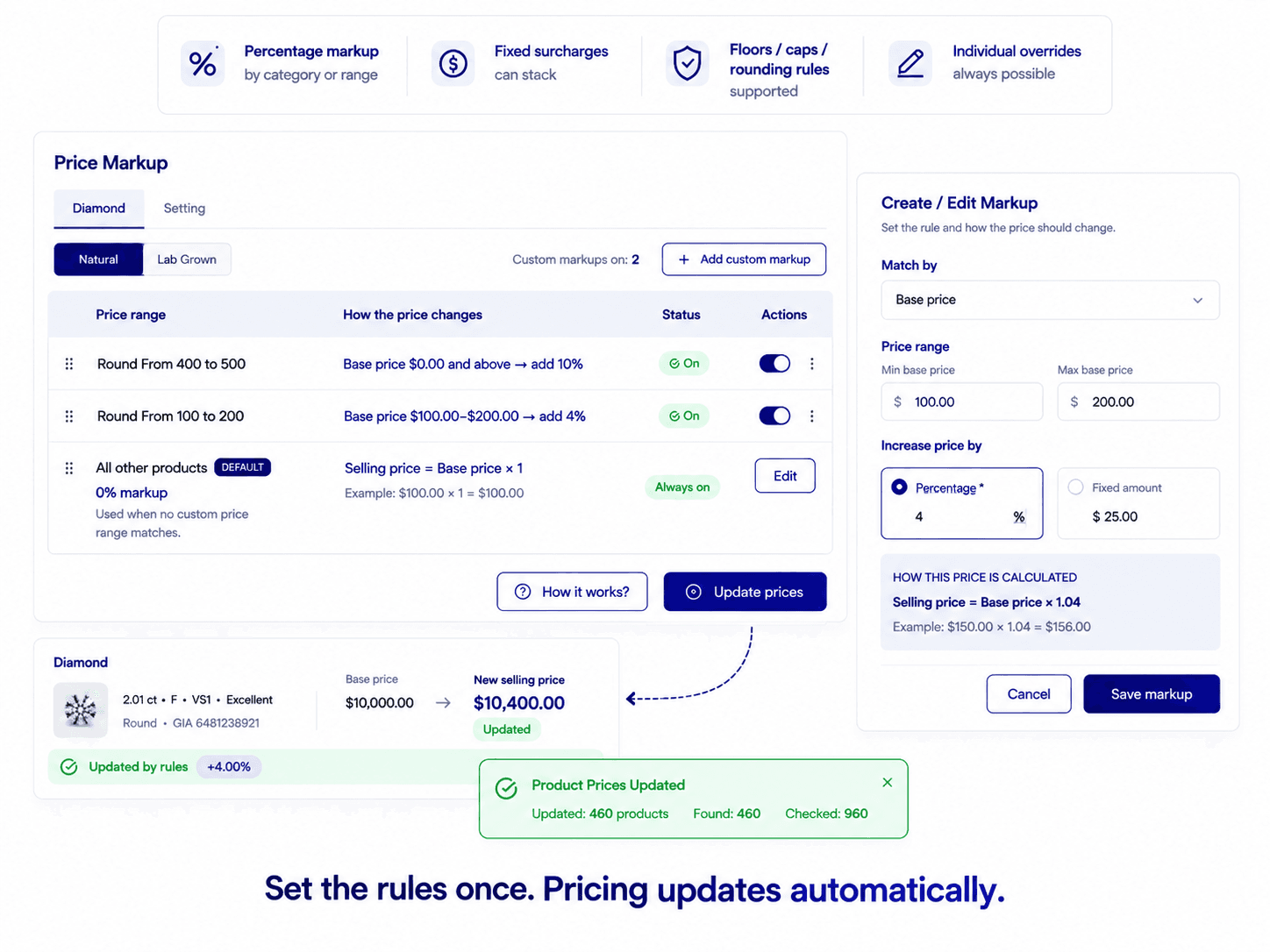
Set margins, metal multipliers, diamond markups, and rounding rules once, then keep the customer-facing price synchronized with each selection.
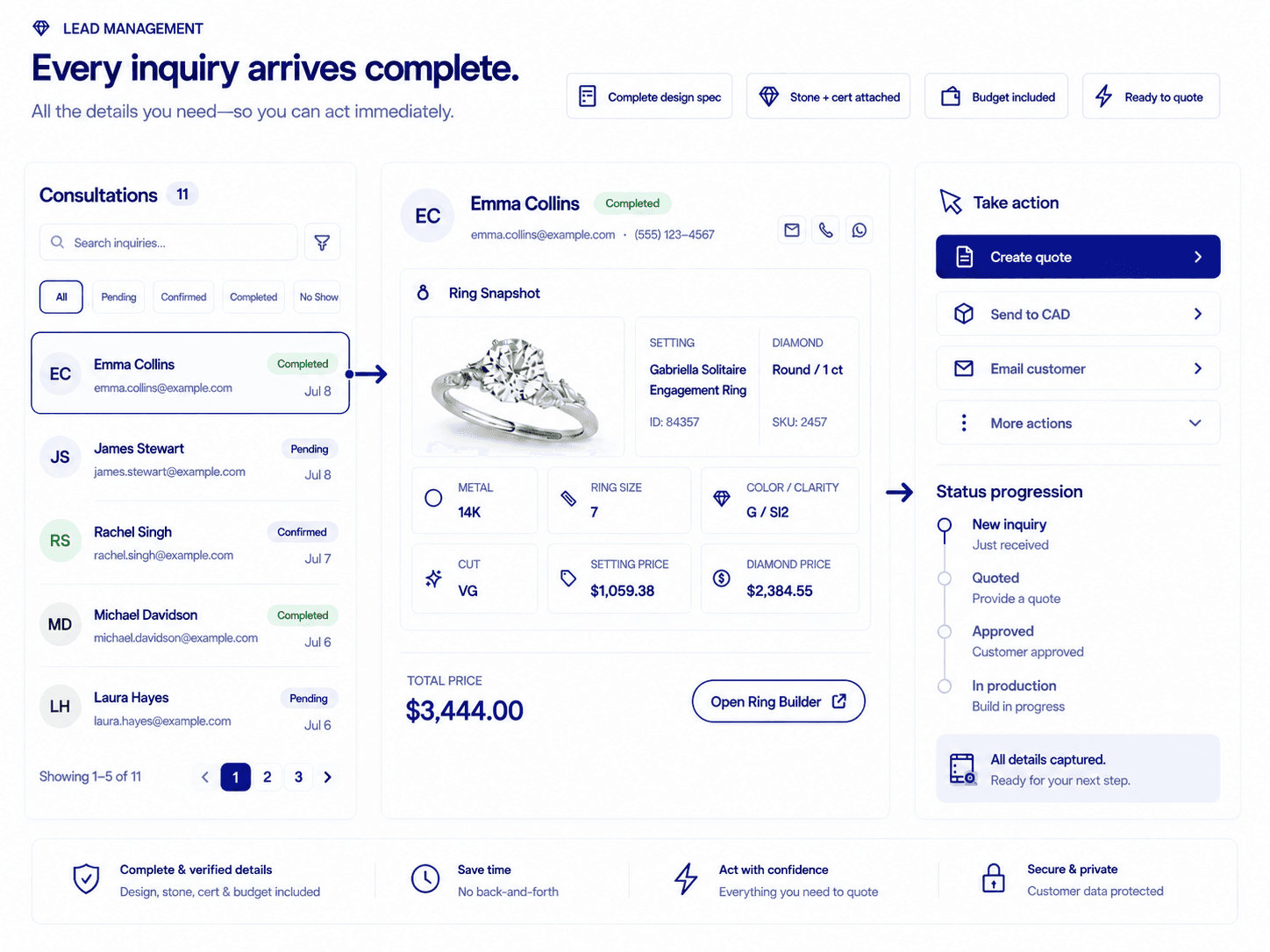
Preserve stone, metal, setting, size, and customer selections so eligible custom requests move forward with complete production context.

Keep products, feeds, pricing, leads, orders, designs, and production status visible to the merchant team without stitching together separate tools.
One connected workflow
Search existing design supply first. Carry the customer’s choices forward into sourcing, the quote, and the production review.
01 · Discover
Search the library or discuss custom work
02 · Configure
Agree on the customer’s design direction
03 · Source
Review stones, dimensions, and availability
04 · Quote
Use your costs and retail pricing rules
05 · Sell
The customer pays your store
06 · Review
Confirm CAD, specifications, and workshop approval
Your store remains the seller. Design services and license fees are separate from the jewelry sale.
A visual preview does not replace manufacturing CAD or workshop approval.
Start with your business
Find existing designs close to the idea, compare options, and discuss changes before commissioning new CAD.
Search the design libraryGive shoppers a branded 3D experience with supported design options, connected diamonds, and your retail pricing rules.
Explore the 3D Ring BuilderKeep the chosen design, stone dimensions, metal, ring size, and notes together for your designer and workshop to review.
Explore production handoffImplementation and integrations
Use Design Search with your next customer, or plan a storefront setup around your catalog, supplier feeds, branding, and pricing rules.
Connect your wholesaler's setting and diamond data feeds to Gemtheon Ring Builder. Depending on the supplier, connection options include supported API, CSV, or FTPS sources so Gemtheon can map eligible data into your catalog, inventory, and pricing workflow.
Configure the customer-facing experience, available options, pricing logic, and margin rules before publishing.
Add the configured experience to the ecommerce site you already operate, without rebuilding the rest of your store.
Supported storefront paths
Feed, inventory, and implementation availability varies by plan and connected source.
 START WITH A CUSTOMER IDEA
Explore the design library, choose your next step, and bring visualization, sourcing, pricing, and production requirements into one customer workflow.