
CAD HANDOFF
Move approved designs into a clear CAD handoff.
Prepare a specification handoff for your CAD partner or workshop, with approved ring details and stone requirements. Confirm manufacturing files and technical review for each design.
- Specification handoff with PDF and structured JSON
- Keep selected stone details and grading report references together
- Stone fit and production requirements for workshop review
- Track recorded CAD, casting, and finishing milestones
Free Explorer · Design licensing and commissioned CAD work may carry separate fees.




Illustrative workflow · Example orders and prices
Keep the design clear from sale to workshop.
Record what your customer approved and what your production partner needs to review before the piece is made.
“Which stone, ring size, and version did the customer approve?”
Design choices in separate messages
The setting, metal, and special instructions sit in separate notes or conversations.
Missing context at handoff
The CAD designer needs to reconstruct the approved configuration before reviewing the job.
Unconfirmed manufacturing requirements
Stone fit, dimensions, tolerances, and required manufacturing files still need workshop review.
Unclear project progress
Team members need to check multiple conversations to understand the next production step.
“The approved configuration and the next step are recorded together.”
Approved configuration
Keep the chosen setting, metal, ring size, and selected stone details with the customer project.
A shared specification handoff
Review head geometry, stone fit, and manufacturing tolerances with your CAD partner.
Specification brief and available files
Share the specification brief and confirm available manufacturing files before casting.
A recorded next step
Agree on review, production milestones, and timing with your designer or workshop.
From approved quote to finished piece.
Keep approved design details, available documents, and the next production steps in one shared workflow.
Standardized CAD specs
Keep stone information, band width, finger size, and material requirements together for your CAD partner to review.
A brief for your workshop
Share a specification brief with your bench jeweler or CAD partner. Confirm any STL or 3DM deliverables for the licensed design or commissioned job.
Order milestone tracking
Track custom orders from CAD draft to 3D wax print, casting, and customer delivery in one place.
CAD SPEC EXPORT
Share the approved details with your workshop.
Give your workshop a consistent record of the approved design and stone requirements. Your production partner reviews tolerances, stone fit, and any additional CAD work before casting.
- Approved setting, metal, ring size, and special instructions
- Selected stone details and available report references
- PDF specification brief and structured JSON, where available
Specification handoff
Example order #1842

Remy four-prong solitaire
Design reference · Example configuration
- Setting
- Four-prong solitaire
- Metal
- 14K white gold
- Ring size
- US 6.75
- Selected stone
- Round · 1.01 ct · E / VS2
- Report reference
- Attach the available grading report
- Customer notes
- Confirm band width and final dimensions
PRODUCTION TRACKING
Keep the next production step visible.
Record progress from CAD review to wax printing, casting, and finishing. Keep the project status current so your team can discuss the same next step with the customer and production partner.
Explore the Merchant Dashboard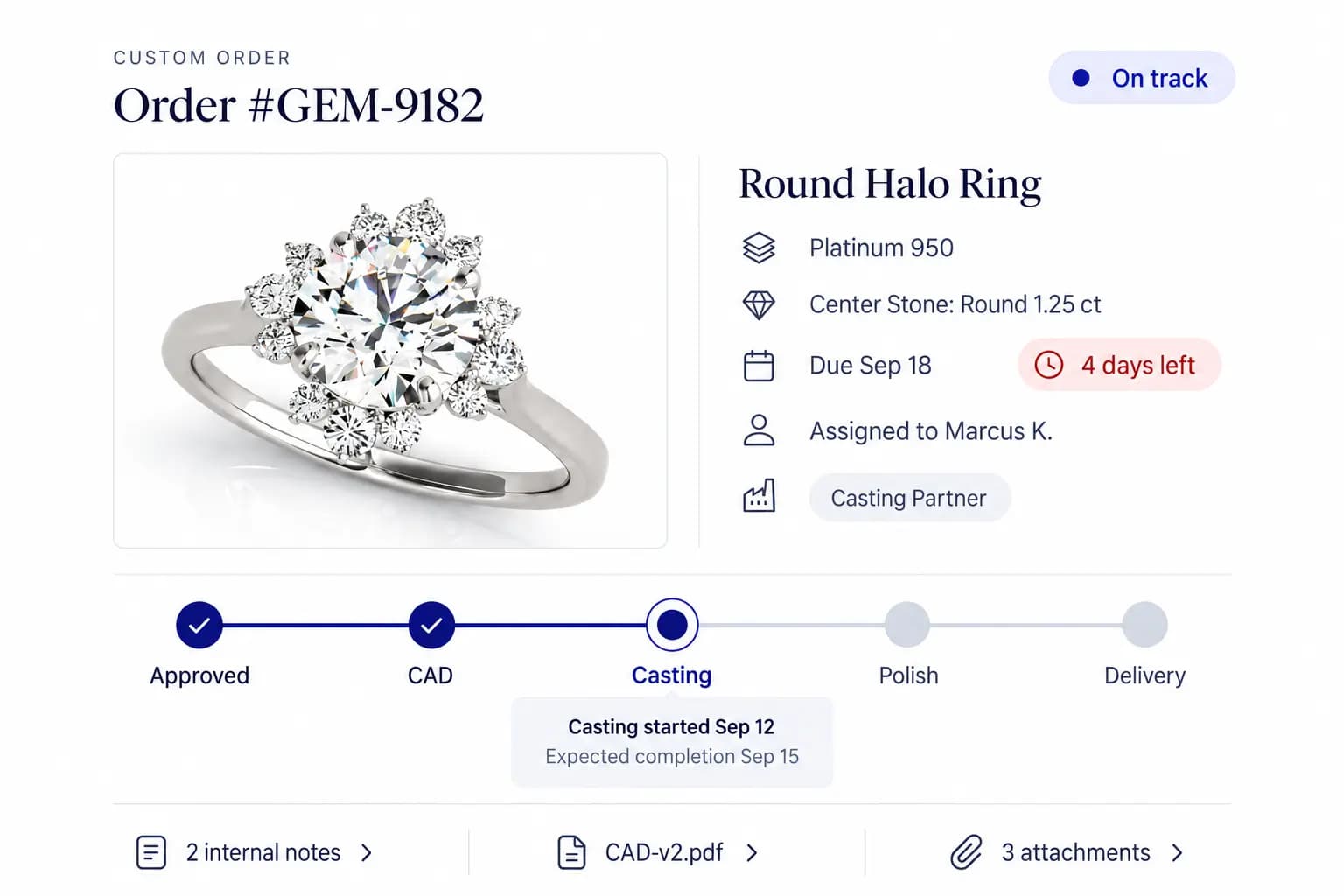
Approve. Export. Track. Deliver.
Agree on the design, prepare the handoff, and keep recorded milestones up to date with your production partner.
Customer approves design
Record the approved setting, metal, finger size, selected stone, and any special instructions with the customer project.
Prepare the specification brief
Share the specification brief and available documents. Confirm any STL or 3DM files, stone fit, and manufacturing requirements with your designer or workshop.
Order milestone tracking
Record the agreed production stages and update progress as your workshop completes them. Confirm timing and customer communications for each project.
Plans & project costs
Start free. Plan your production handoff.
Explorer includes design discovery, customer projects, and quote preparation. Compare commerce plans below; design licensing, commissioned CAD work, manufacturing files, and workshop services may carry separate fees. Confirm your required handoff workflow during setup.
Pro
Interactive 3D ring builder, multiple vendor feeds, expanded live inventory capacity, advanced pricing & automation rules, multi-store deployment ready, priority support, and all Starter features included.
What's included:
Explorer
Search & discover 3D design library, interactive 3D viewer & images, reasonable virtual try-on, and customer project management.
What's included:
Starter
Basic ring selector on your CMS website, retailer custom branding, live vendor feeds, pricing & markup workflow, and all Explorer features included.
What's included:
Pro
Interactive 3D ring builder, multiple vendor feeds, expanded live inventory capacity, advanced pricing & automation rules, multi-store deployment ready, priority support, and all Starter features included.
What's included:
Enterprise
Multi-store live integration, custom & high-volume inventory & feeds, advanced custom integrations & workflows (POS / ERP), dedicated engineer & custom SLA support, and all Pro features included.
What's included:
Frequently Asked Questions
Questions about CAD Handoff & Production.
Specification briefs, manufacturing files, and working with your own CAD designer or workshop.

 READY TO LAUNCH
Keep the approved design moving toward production.
Bring the approved configuration and available documents together. Agree on manufacturing files, technical review, and the next step with your production partner.